Structured requests
Collect service, language, date, time, location, access, and instruction details.
 MainterpreterInterpretation operations platform
Client portal
Replace incomplete email requests and routine status questions with a focused, branded client experience.
Why this matters
A client portal needs to be easy for requesters while still capturing the structured details managers and interpreters need to deliver the service.
What the workflow supports
Collect service, language, date, time, location, access, and instruction details.
Let clients review scheduled work and follow relevant status changes.
Provide eligible access to browser call or video workflows from the client context.
Make invoices and selected service history available through the approved client experience.
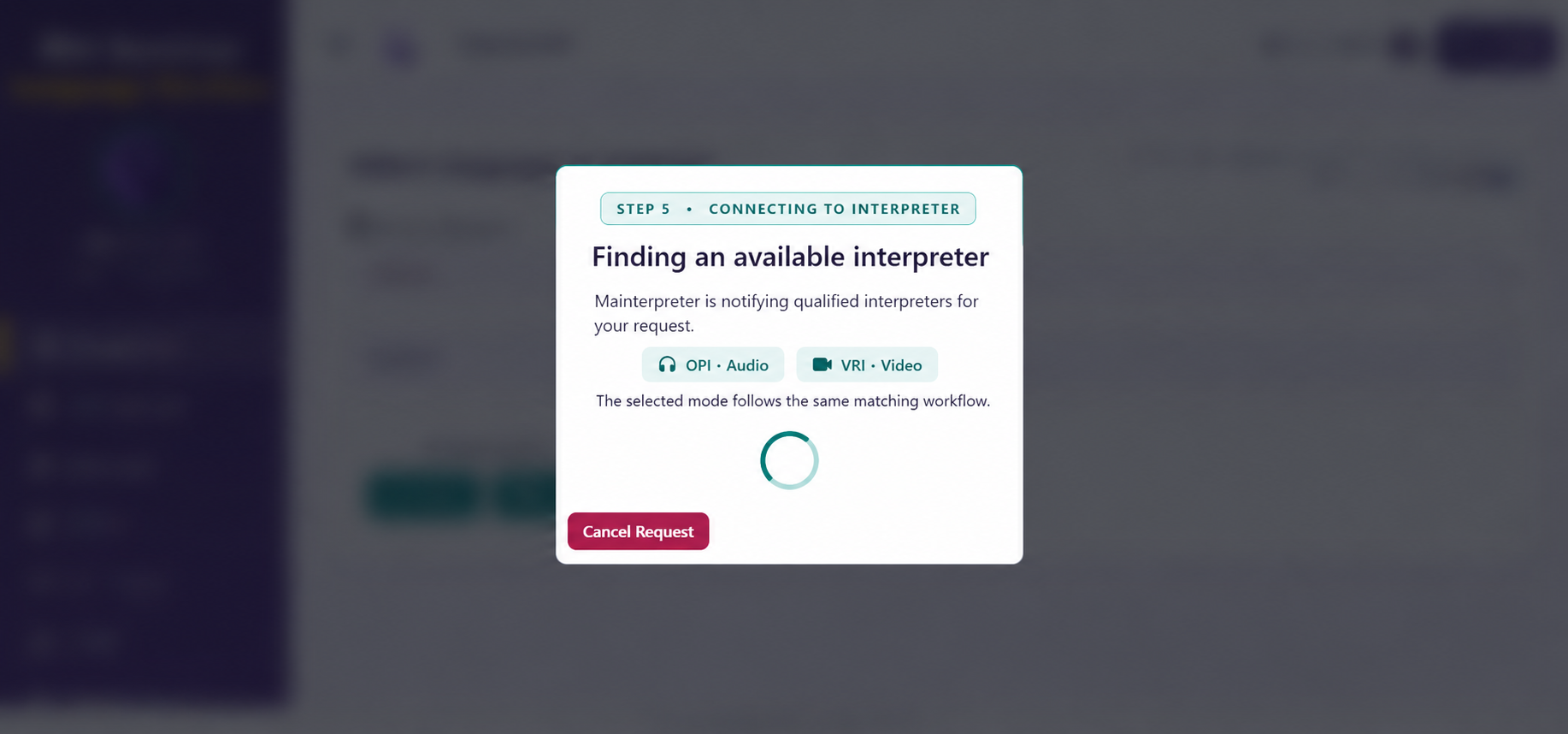
Immediate OPI and VRI requests
Follow the client workflow from opening an immediate request through interpreter connection.
Start an on-demand interpreter request directly from the client portal.
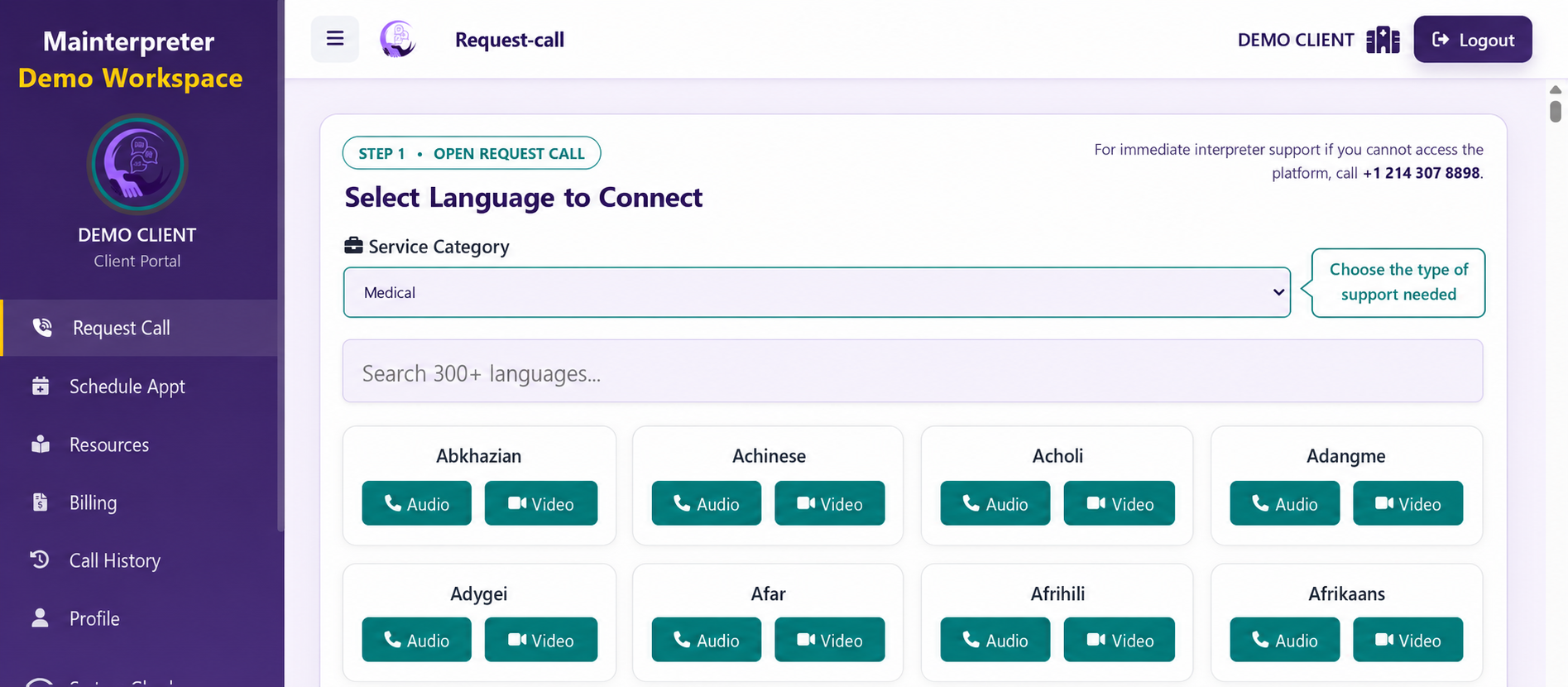
Select the category that best matches the conversation and interpreting need.
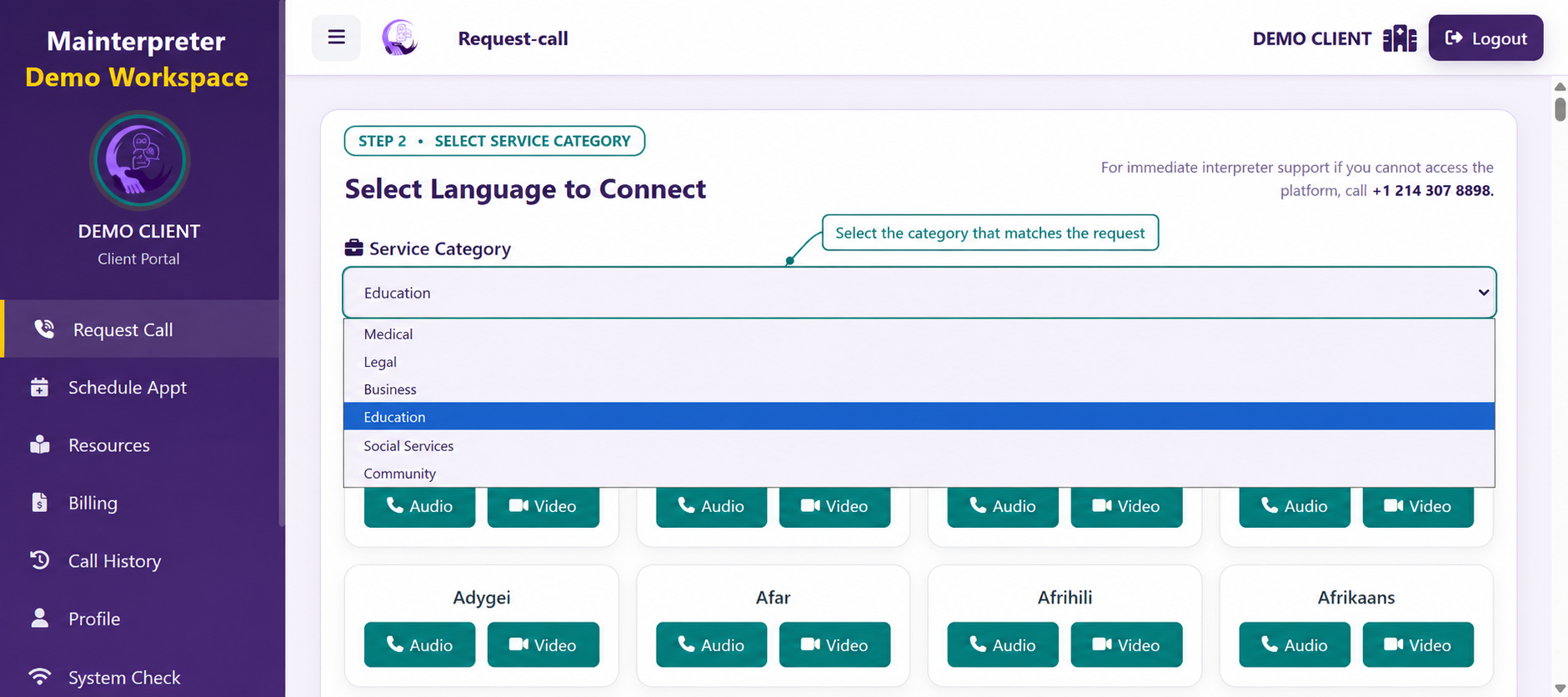
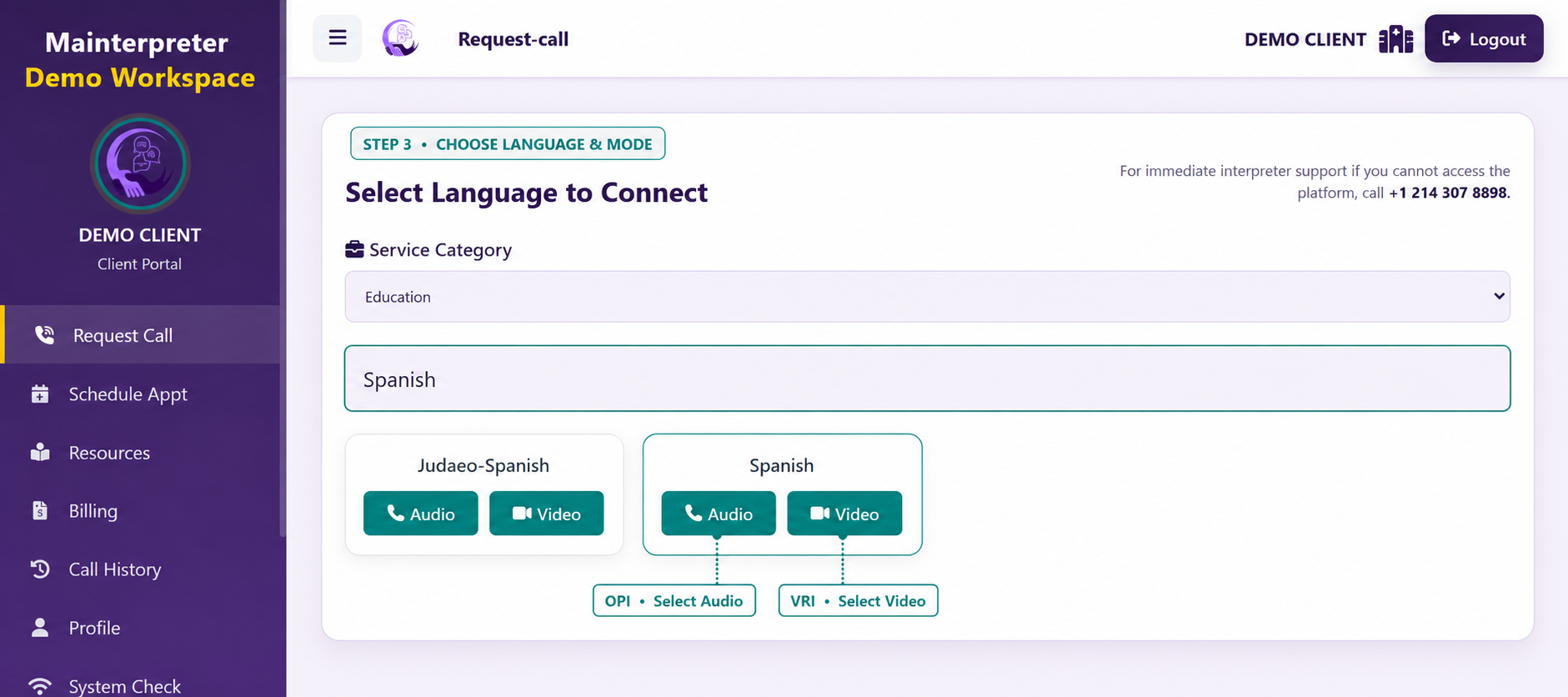
Choose the requested language and continue with phone or video interpreting.
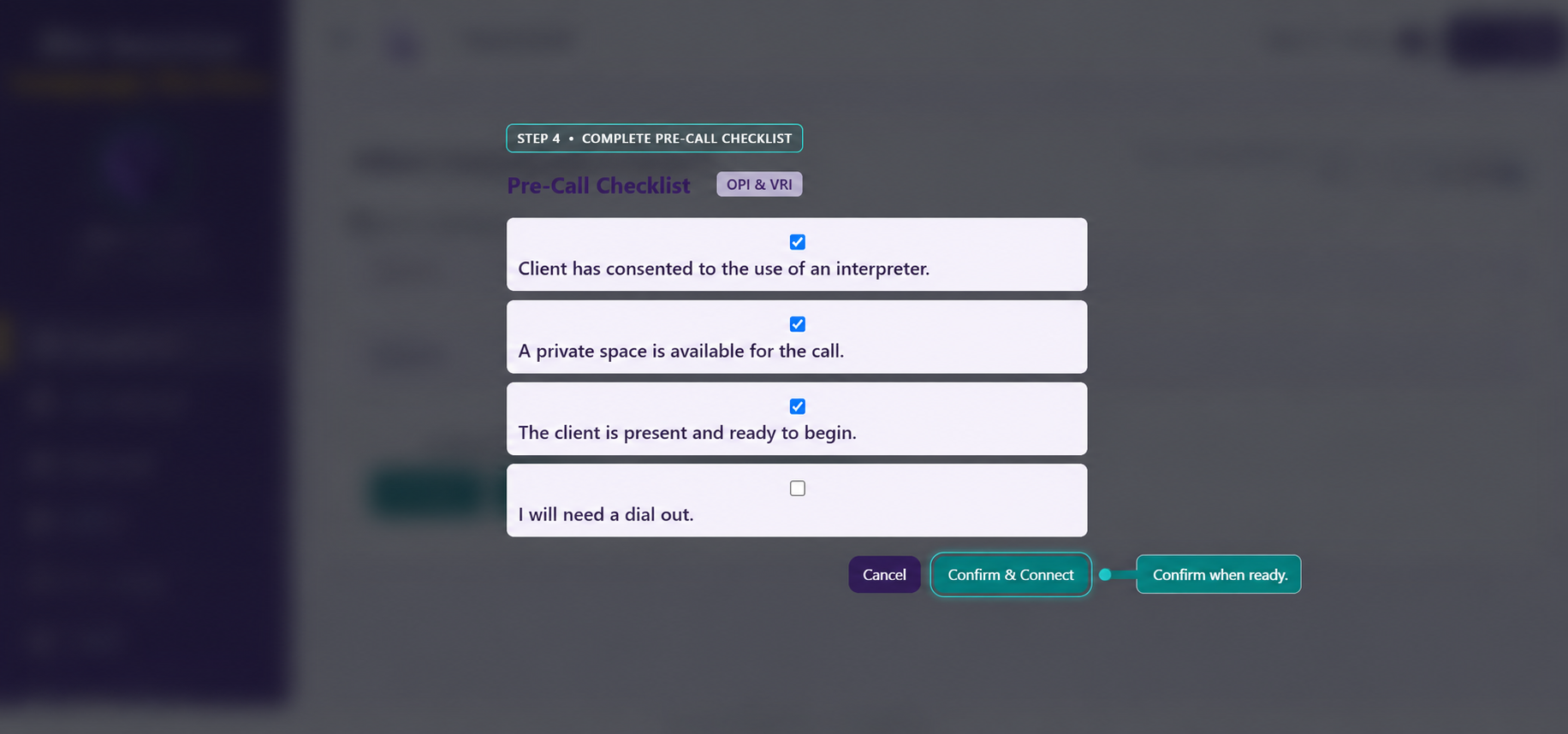
Confirm the request details and device readiness before beginning the session.
The platform routes the request and displays the connection progress.
Connected by design
Collect the service and user context required for the workflow.
Apply the organization’s availability, routing, permission, and approval process.
Deliver the session and preserve status, duration, participant, and notes context.
Use the resulting record for billing, reporting, review, and service improvement.
A closer look, built around your operation
We’ll tailor the demonstration to your services, team structure, client experience, routing rules, billing workflow, integrations, and branding goals.